

 When you buy through affiliate links in our content, we may earn a commission at no extra cost to you. Learn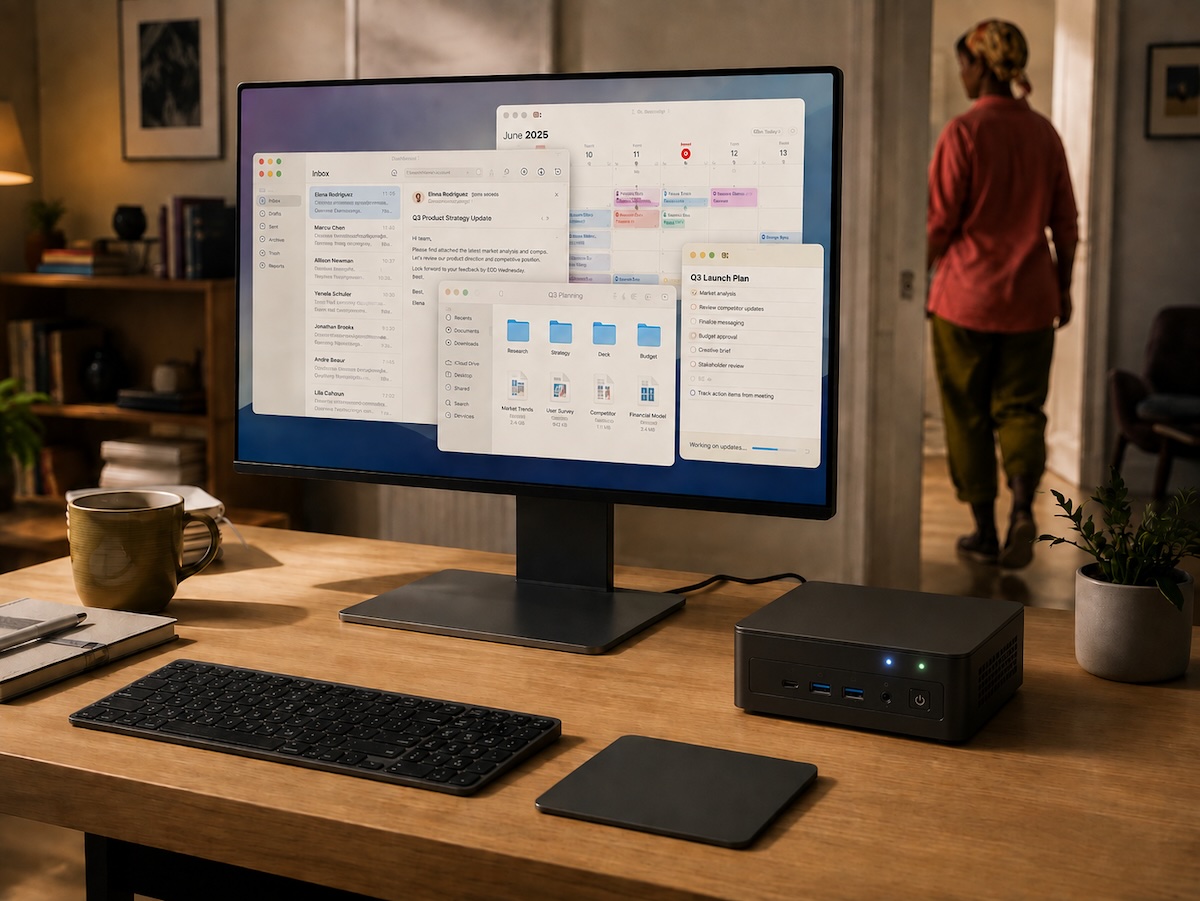
Apple unveiled its new Mac mini on August 25, updating it with the M6 and M5 Pro chips for a significant performance boost. But the company is selling much more than just faster speeds.
The tech giant is also positioning its tiniest desktop as a machine that can stay on and keep AI agents working even when there’s nobody sitting in front of it.
The M6 model delivers up to 4x faster AI performance than the M4 Mac mini that came before it, according to Apple. And the company says the new Mac mini can run local models and create AI agents to automate everyday tasks.
Apple hardware chief Johny Srouji went a step further, calling the Mac mini an “always-on agentic device.”
The way Apple describes the Mac mini suggests that the role of the personal computer is changing.
PCs have traditionally waited for the user to open an app, click something, or type a command. An always-on AI agent is supposed to keep going: working through tasks, accessing files and apps, and perhaps even taking action while its owner is away.
Apple isn’t the only tech giant imagining a computer that keeps clocking in after its owner clocks out. Perplexity and Nvidia are already pursuing the same idea, and the Mac mini just happens to be unusually well-suited to it.
The Mac Mini Is Becoming the Perfect Home for AI Agents
Unlike the MacBook, the Mac mini has long been the Mac we leave behind when we walk away from our desks. It’s small enough to tuck away in a corner, there’s no battery you have to recharge, and it doesn’t need a built-in screen.
Those qualities might not sound as exciting as the portability of a laptop we can take just about anywhere. Still, they make a lot of sense for software that’s supposed to keep chugging away after you leave.
A desktop can stay powered on all the time, connected to the internet, and available around the clock. There are no laptop lids to close and no battery that you have to worry about draining. In an agentic AI setup, staying put actually works in the computer’s favor.
Perplexity has already started putting that idea into practice. Its Personal Computer software gives its AI access to local files and native Mac apps and can keep tasks running in the background. The company says the software works on any Mac running macOS Sonoma or later, but is “best experienced on a Mac mini for continuous, always-on use.”
Being away from your desk doesn’t mean you can’t keep tabs on what the AI agent is up to. You can start, pause, or make changes to Mac mini tasks remotely.
In a way, the little desktop starts to look a lot like a consumer-friendly home server, except its job isn’t just to store files or stream media. It gives an AI agent a computer it can keep using.
Apple Isn’t Alone in Going All In on Always-On AI
Apple isn’t the only company thinking along these lines; Nvidia is moving in a similar direction.
The company is marketing its compact DGX Spark as a “Desktop Agent Computer” for local autonomous agents and says it is designed to handle always-on agent workloads. Nvidia has teamed up with Microsoft to bring RTX Spark to Windows PCs built around personal AI agents.
However, the fact that three companies are approaching this idea from different directions doesn’t guarantee that consumers will want an AI agent humming away on their computers all day.
What it does tell us is that the Mac mini’s new role isn’t simply another place for Apple to add AI branding. Instead, it’s looking more and more like a new type of personal computer may be taking shape around software that keeps working when we’re not.
Always-On AI Needs Deep Access to Your Computer
As you might have already guessed, these always-on AI agents come with a catch. An agent can’t do much on your behalf if it can’t get into the files, apps, and accounts you actually use.
The AI chatbots most of us are used to wait in a browser tab until we give them a prompt, upload a document, or paste in some information. An AI agent that can sort files, work across apps, or complete a task while you’re out needs much more persistent access.
Perplexity shows what that can look like. The Mac setup for its Personal Computer software asks users to approve Accessibility, Screen & System Audio Recording, and Full Disk Access, then connect the folders and apps they want the AI to use. The Personal Computer software can then operate apps, including Mail, Finder, Slack, Messages, and Notes.
Those permissions are what make the agent useful. At the same time, they give it access to much more of your personal data. It’s a concern we’ve already seen with ChatGPT’s Apple Messages integration, which can access conversations on a Mac and send replies on a user’s behalf.
An AI assistant with access to a few uploaded documents is one thing. Software that can see your screen, read local files, and interact with apps on an always-running computer knows a lot more about you.
That means the convenience of an always-on agent comes with a much bigger question about how much of your computer you’re willing to open up to it.
Local AI Doesn’t Mean Everything Stays on Your Mac
Running AI locally can cut down on how often data needs to leave your computer and be stored in the cloud.
Apple has emphasized on-device models with the new Mac mini, while Nvidia has promoted local processing as a way to depend less on cloud-based AI.
But local processing only solves part of the privacy dilemma. An always-on AI agent still needs broad access to your files, apps, accounts, and whatever is happening on your computer screen. If the software takes the wrong action or is compromised, the damage can still happen on the Mac itself.
Perplexity also shows why “running on your Mac” doesn’t necessarily mean everything happens there. The company says Personal Computer can coordinate agents across more than 20 AI models while also accessing files and apps stored locally on the Mac.
That combination makes the line between local and cloud AI less clear than the phrase “on-device” might suggest. And if you’re thinking about running one of these always-on AI agents on a Mac mini or other computer, you’ll have to really think about how much access you’re willing to give it and whether you trust it to act on your behalf.
The more useful this technology becomes, the more tempting it’ll be for all of us to give these agents what they need to work. But every additional permission also gives a mistake, security flaw, or bad instruction more room to cause problems.