

 When you buy through affiliate links in our content, we may earn a commission at no extra cost to you. Learn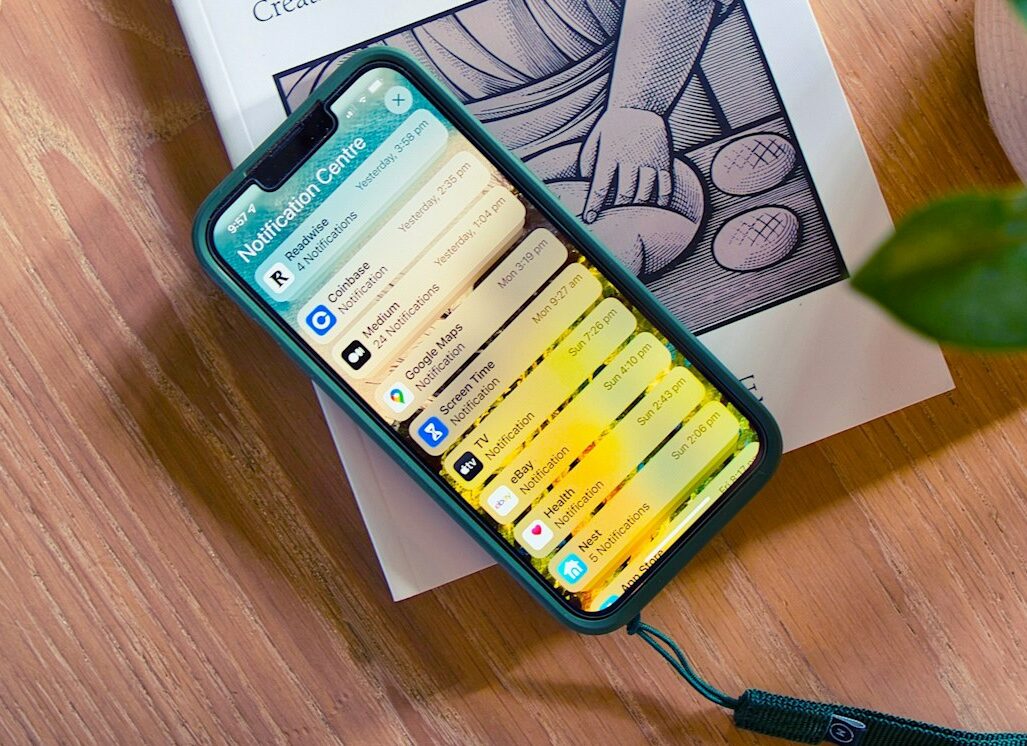
Apple’s latest iOS security patch fixes an iPhone bug that some law enforcement groups had leveraged to recover messages that suspects believed they had deleted from their devices. Message preview caching was the culprit, leaving copies of the messages in the internal notification database even after a user wiped their history.
The issue was patched in iOS 26.4.2 and iPadOS 26.4.2 on April 22. In its security notes, Apple described the bug’s impact as “notifications marked for deletion could be unexpectedly retained on the device,” and said the problem was “addressed with improved data redaction.”
The fix came after a 404 Media report that the FBI had used forensic tools to retrieve Signal messages from message previews on a suspect’s phone after the app had been deleted.
Signal has long been considered one of the world’s most secure messaging apps and counts Edward Snowden, Elon Musk, and Jack Dorsey among its most prominent endorsers. Security-conscious smartphone users who want to avoid government snooping have long turned to the app as a trusted privacy tool.
Unfortunately, when message content appears in a notification, it no longer exists within the app, but in another part of the phone’s operating system.
The FBI’s ability to recover Signal message previews from an iPhone’s notification database shows that encrypted messaging isn’t a complete security solution, and that we can’t rely on an app alone to protect our digital privacy.
Why iPhone Notifications Can Undermine Encrypted Messaging
When we’ve been told over and over again that an app is secure, it’s easy to believe that automatic message deletion, aka “disappearing messages,” is some kind of digital paper shredder. We set a deletion schedule, the messages vanish after the specified time interval, and we get on with our lives, assuming all trace of the message has been scrubbed from our phones.
The iPhone push notification database issue proves that assumption was wrong. While Signal’s encryption protects messages within the app, notifications are designed to pull information out of apps and make it visible elsewhere.
That’s what makes notifications so convenient, but that convenience comes with risks if you’re trying to protect your privacy.
In its report, “How Push Notifications Can Betray Your Privacy,” the Electronic Frontier Foundation (EFF) explains that push notifications can create privacy risks in two places: when they are routed through Apple or Google servers, and once they land on a device.
EFF also noted that content from notifications can end up on a device’s internal storage, making it vulnerable to recovery with forensic tools.
Unfortunately, apps like Signal have left many users with the impression that when a message disappears, everything is erased along with it. The reality is that a message you send in Signal can be erased from the app, but if its preview was already displayed as a notification, the operating system may have handled that text separately.
In Apple’s case, the bug meant notifications marked for deletion could remain on the device. The privacy issue doesn’t come from Signal’s encryption failing. Instead, the problem is that sensitive information left the app through a phone feature that so many of us use without thinking twice about its possible security implications.
Do Android Phones Have the Same Notification Privacy Risk?
Android has its own security vulnerabilities, but there hasn’t been a comparable public report of the operating system having the same bug that Apple just patched. However, that doesn’t mean you’re in the clear if you use an Android device instead of iOS.
Android is still part of the push notification privacy problem. In its report, EFF explains that push notifications typically pass through Apple or Google servers before reaching a phone, depending on whether you’re using iOS or Android.
In a 2023 letter to the Department of Justice, Sen. Ron Wyden (D-OR) explained how that process works. iPhone notifications use Apple’s Push Notification Service, while Android notifications rely on Google’s Firebase Cloud Messaging. That setup makes Apple and Google intermediaries in the delivery process.
Wyden said companies can receive data that includes metadata showing which app received a notification and when, along with the phone and the Apple or Google account associated with the alert. In some cases, that information could include unencrypted content, including the text displayed in an app notification.
While this is different from what happened with the Apple bug, which involved notifications being unexpectedly left on a device, it shows why notifications aren’t just an iPhone issue. On both major smartphone platforms, alerts can expose information outside of the app that created them.
How To Make Phone Notifications More Private
Luckily, there are a few things you can do to increase the privacy of your notifications. If you’re an iPhone user, you should update to the latest version of iOS, since Apple has released a patch for the notification issue.
Beyond that, if you want stronger privacy, you should consider limiting what appears in message alerts on your phone.
If you have an iPhone, EFF recommends reviewing Settings > Notifications > Show Previews. From there, you can choose whether the previews appear always, only when your phone is unlocked, or never. You can also adjust the previews app by app.
The steps on Android are similar. Go to Settings > Notifications > App Notifications to turn off notifications for apps that don’t need them. You can also tap an app name and look for additional in-app notification settings. EFF also recommends Android users check their lock screen notification settings and disable Show Sensitive Content so the details of notifications can only be seen if the phone is unlocked.
Within Signal, you can also choose how much information shows up in alerts. Its notification settings can show the sender and message, the sender only, or no name or content. If you use WhatsApp on an iPhone, you can also choose to disable message previews.
If you’re using Android, you should check whether Notification History is enabled and decide whether being able to go back to dismissed alerts is worth the privacy tradeoff.
What Apple’s Fix Tells Us About Smartphone Privacy
Apple’s security patch has fixed a specific bug, but the incident that prompted the company to act is a reminder for all of us that even if an app promises “state-of-the-art end-to-end encryption,” as Signal does, it’s not necessarily foolproof.
There’s no doubt that secure messaging is important, and disappearing messages still matter. But they work best when we understand just how far our sensitive information can travel after it arrives on a phone.
The iOS notification bug is an important reminder to all of us that in the digital age, “deleted” is a relative term.
What makes what happened in this case so unsettling is that the privacy risk came from a phone feature many of us take for granted. It wasn’t part of a huge breach of Signal’s encryption.
A message arrived, a preview appeared, and the phone’s notification system handled it. And that routine handoff was enough to leave a trail of data that investigators could later recover.
While Apple has patched this specific flaw, the incident shows that keeping our private data secure on a smartphone requires vigilance at every layer of the stack. That includes the apps we use and the operating system that hosts them.
In the meantime, the best way to make sure the secrets on your phone stay secret is to make sure they never show up as a notification in the first place.